Understand your business
Join orders, payments and fulfilment across databases. See how the numbers were calculated before you take them into the next meeting.
For business teams →From business questions to data products
Ask a business question. Your AI agent builds a reusable SQL pipeline across your databases. There is no warehouse to build or load: the answer is joined where your data already lives. Review the logic, then put the answer to work in your application or BI tool.
Open source · Free software · Runs on your infrastructure
Need help getting started? Talk to the founder
Public beta. Self-hosted, AGPL, actively developed. Report what breaks.
Which rideshare company carried the most trips in each borough last quarter?
Business result
Each borough’s top company and its share of trips, on a scale of 0 to 100 percent
An illustrative chart of the recorded result, drawn here rather than by the product. Native dashboards are planned.
API response
The released pipeline’s endpoint, and its first row as JSON
GET /api/demo/v1/top-company-by-borough?anchor_date=2025-01-01

{
  "borough": "Manhattan",
  "top_company": "Uber",
  "trips": "17,660,839",
  "borough_trips": "23,669,163",
  "share": "74.62%"
}
Illustrative JSON of the displayed result: the keys follow the result’s columns and the values are shown as the console formats them. A real response carries the whole result, paged, under your own host and key.
How it’s checked
What the agent did, step by step, before a person released anything
A recorded run from the demo workspace, pipeline demo/top_company_by_borough version v1. This page does not execute a pipeline.
Your databases, as they are
Register the databases and object storage you already run: Postgres, MySQL, SQL Server, Oracle, SQLite, DuckDB, H2, and Parquet or Iceberg files on S3. Credentials are stored encrypted and never rendered back. Nothing is copied, and nothing moves until a pipeline reads it.
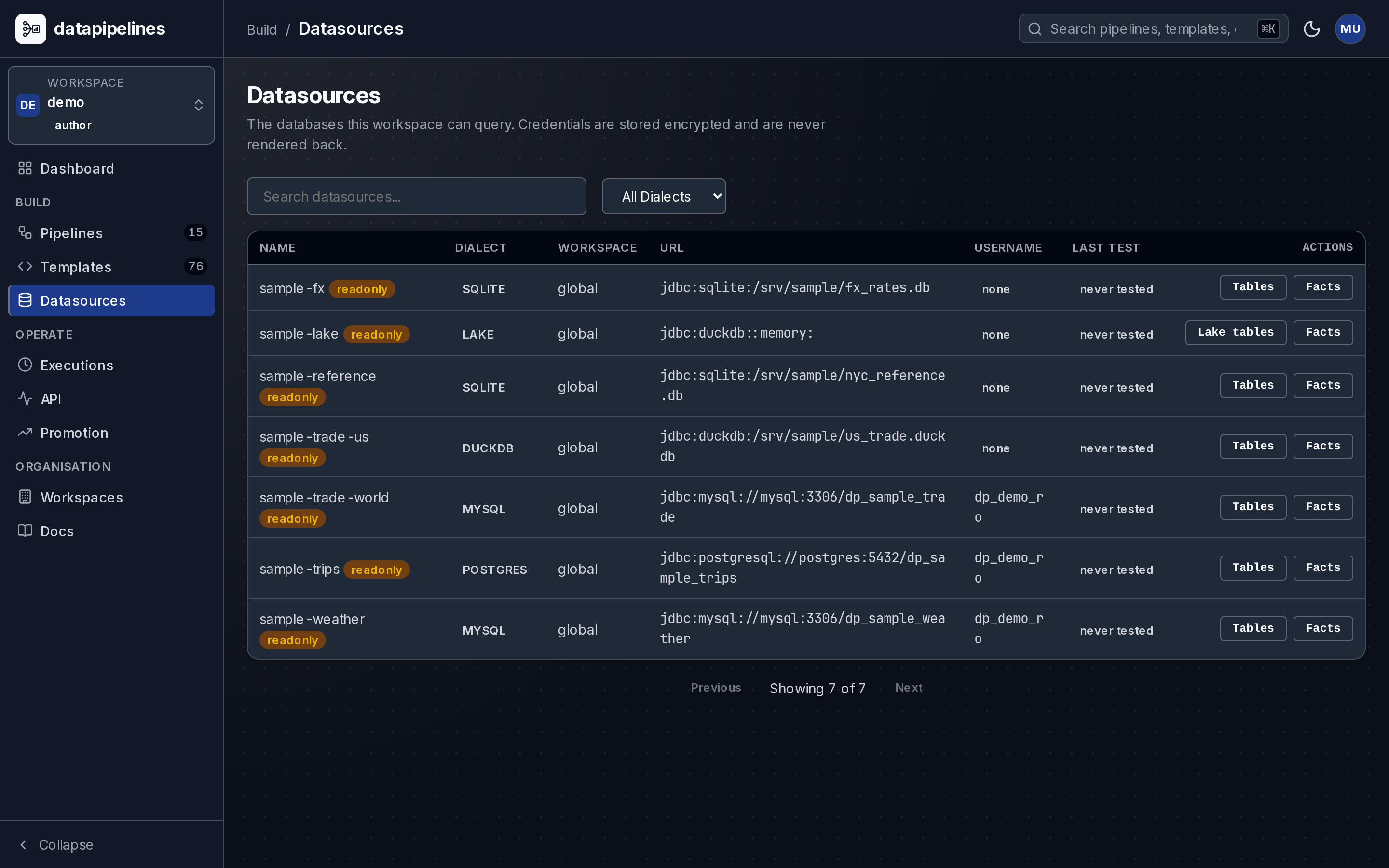
AI authors. You read every step.
Describe the answer in business words. Your AI agent reads the real schemas through the built-in MCP server, writes the SQL and wires the steps into a versioned pipeline you can read end to end. The capture is a pipeline built exactly this way on the live deployment, eighteen nodes answering which boroughs slow down most on snow days.
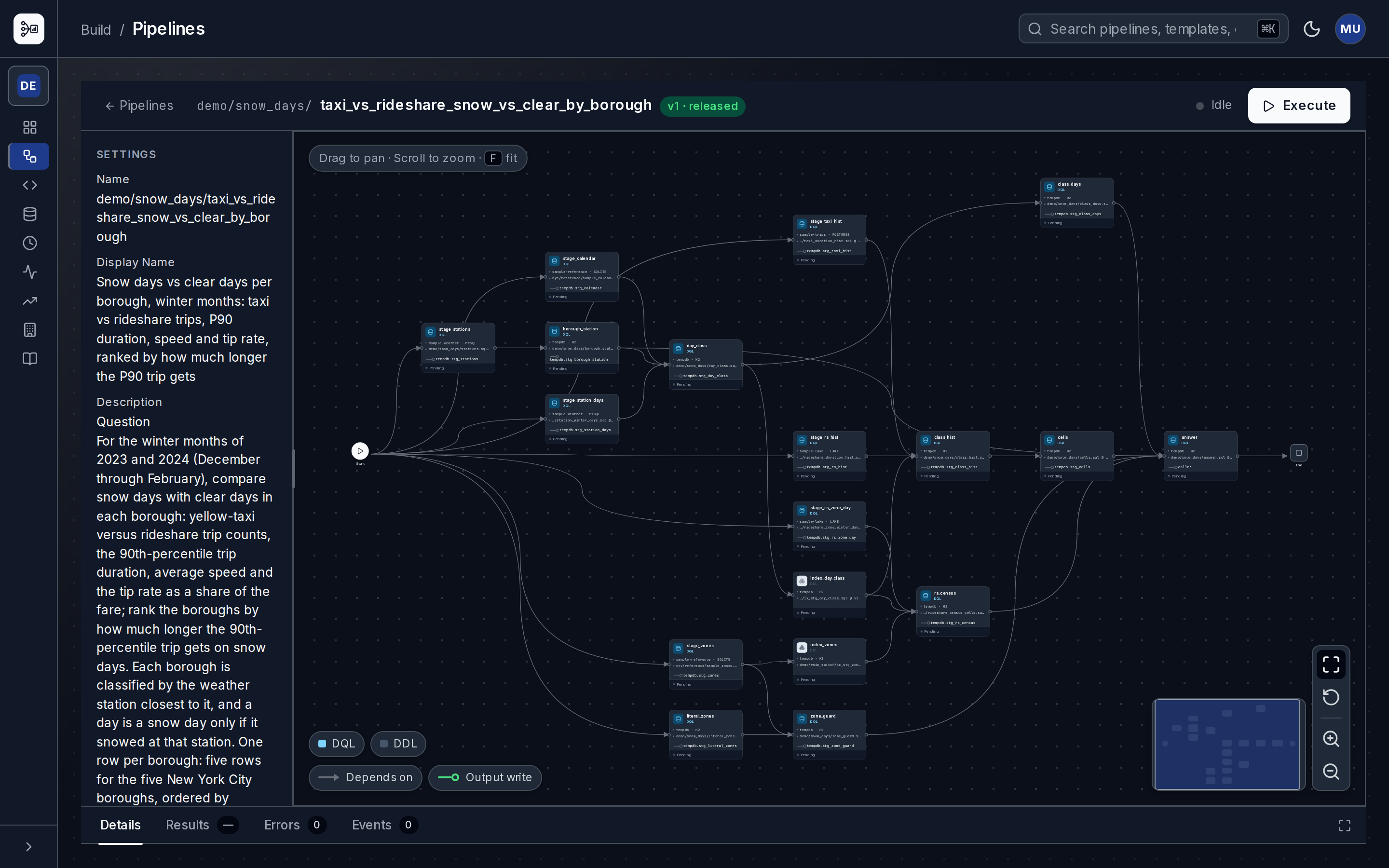
No warehouse to build
There is no warehouse to load, model or keep in sync. Each run stages just the rows the question needs into its own in-memory database and joins them there. Taxi trips from Postgres can sit beside rideshare history read in place from S3. The database is discarded when the run ends. The capture shows one join step reading tables that arrived from two different databases.
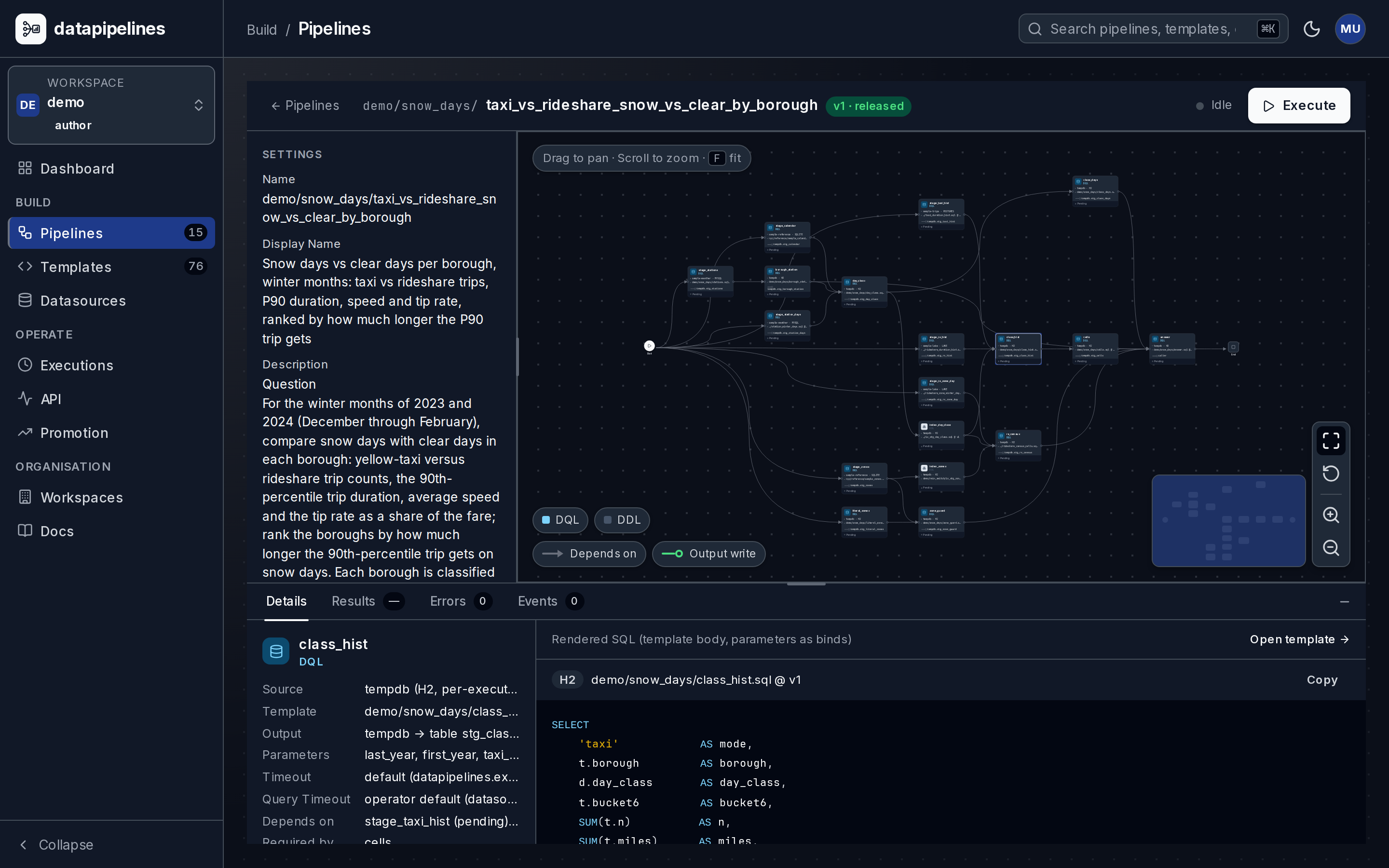
Every run on the record
Run the pipeline with its inputs and watch each step finish. The result is materialized with the run: the rows, plus each node's row counts and durations. It stays pageable until it expires, so what you inspect is what ran.
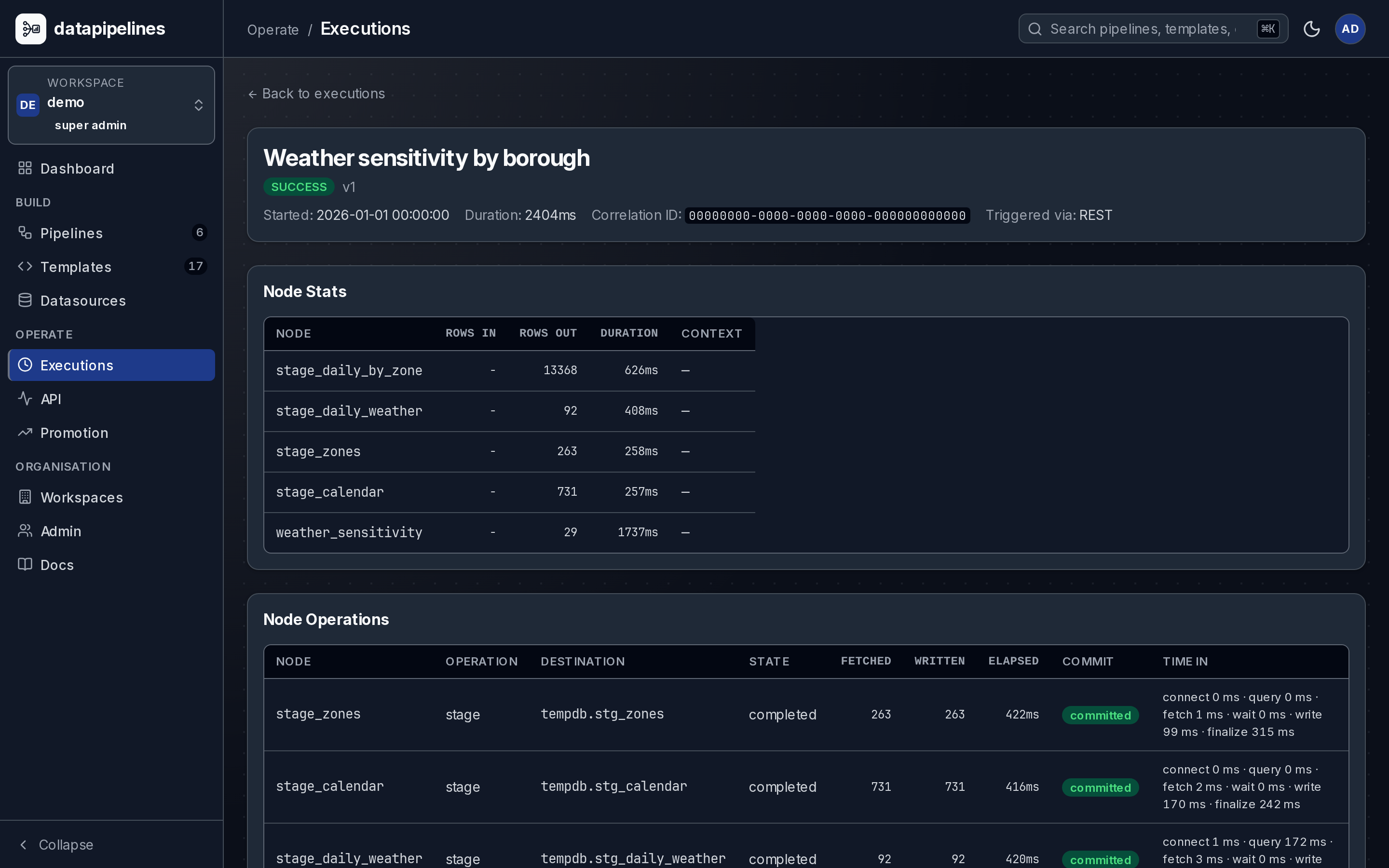
A person signs off
The agent works on drafts. A person reads what changed, runs the release checks you configured, and releases a version, immutable from that moment, so what you approved is what runs and the next edit is a new draft.
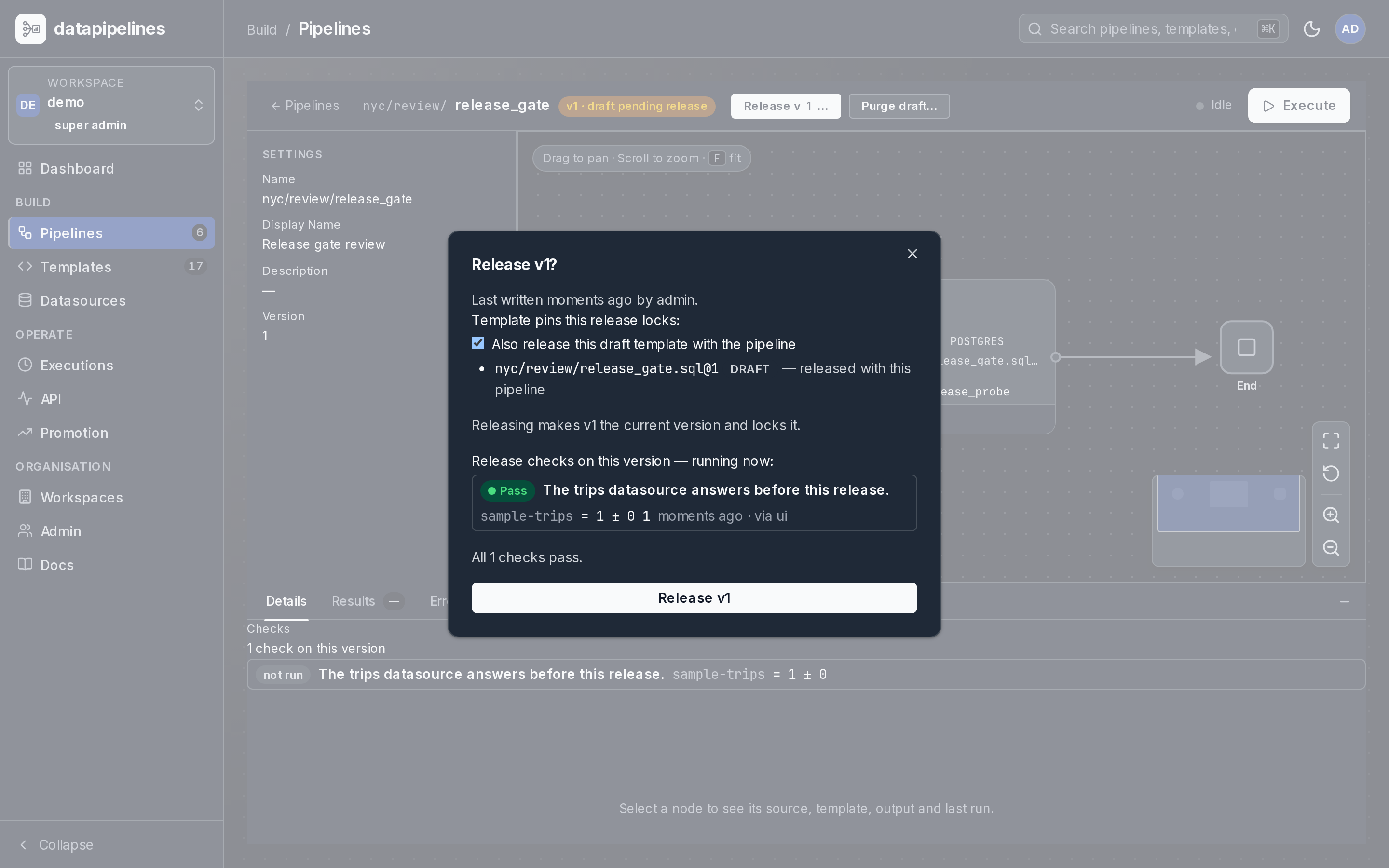
One reviewed answer, many consumers
Publish a released version as an authenticated GET endpoint with declared parameters, at a URL your team chooses, /api/analytics/v1/snow-days for example. Your application, your BI tool and your agent all read the same reviewed answer.
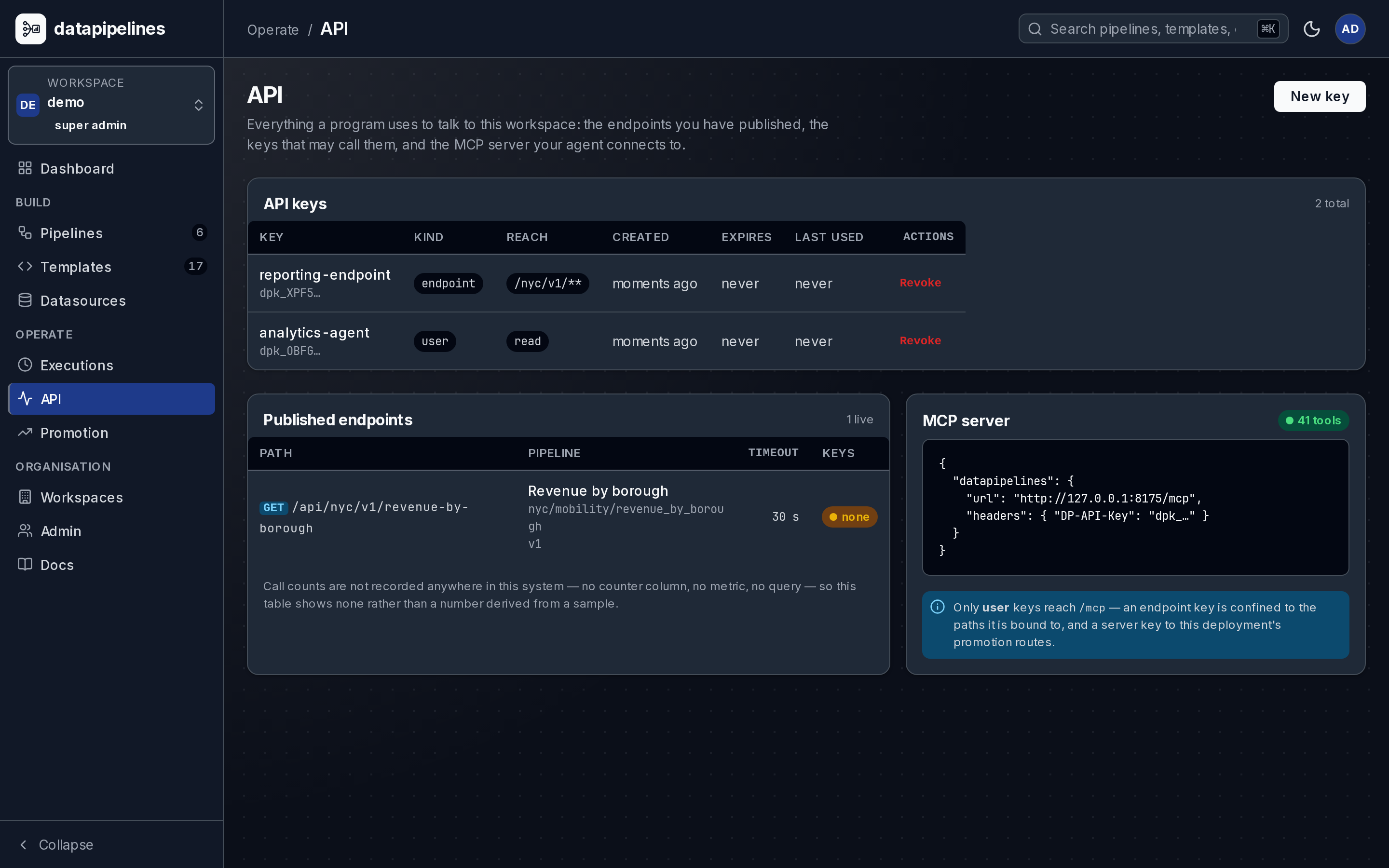
One server for the whole company
Workspaces keep each team's pipelines, connections and keys apart, with a role per member. One person can belong to several and switch between them; an API key is pinned to a single workspace, so no key reaches past its own team.
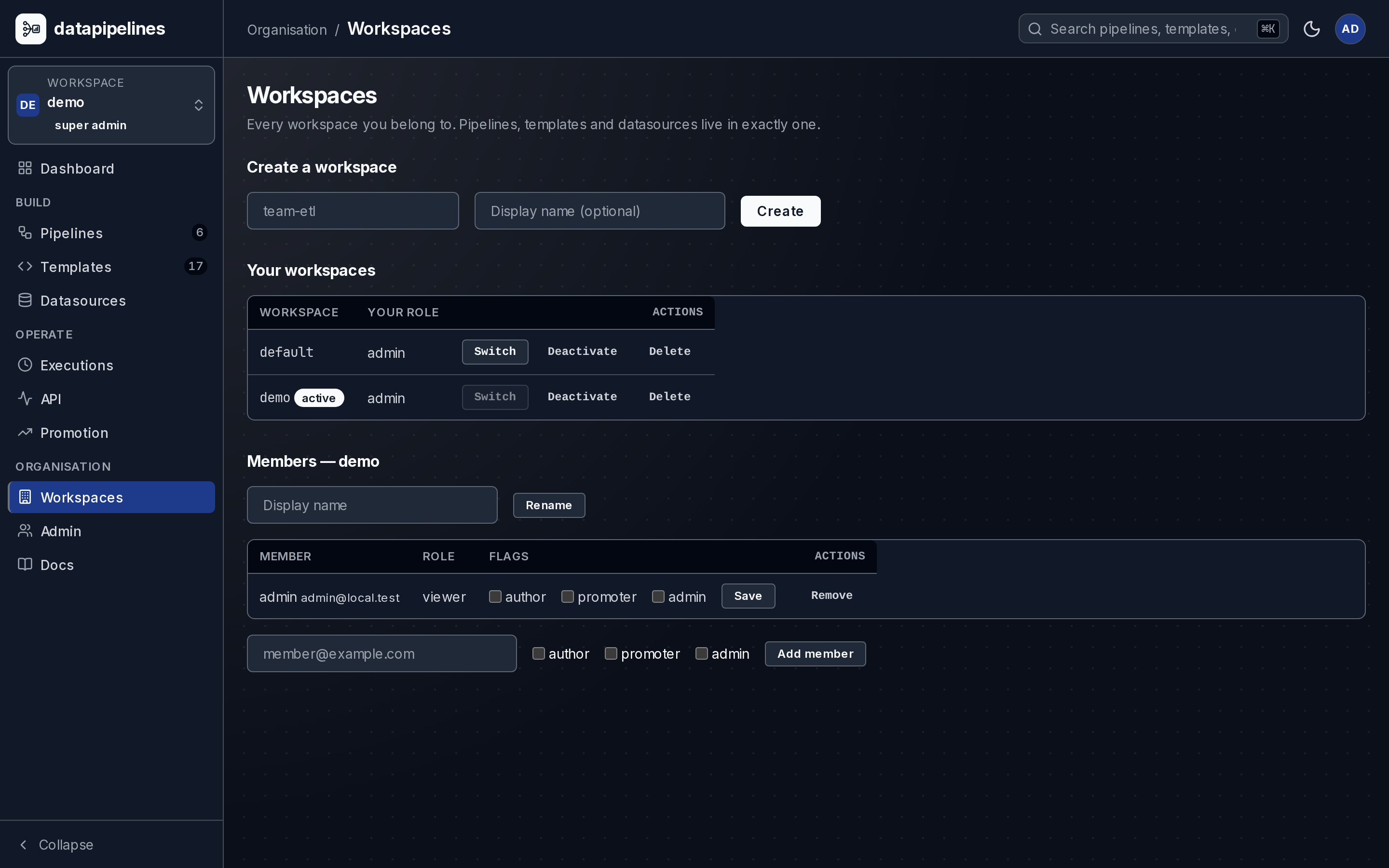
See the answer take shape
Follow a pipeline through its source queries, joins and result. The walkthrough will show the real application, so you can see what your team reviews.
Less preparation. More understanding.
An order in one system. A payment in another. A different definition of revenue in every spreadsheet. Bring the sources and the business rules into a pipeline your team can run again.
Join orders, payments and fulfilment across databases. See how the numbers were calculated before you take them into the next meeting.
For business teams →Turn a released pipeline into an authenticated API. Your application supplies a date or region; the server runs the saved SQL.
For product teams →Keep visualization in Tableau or your own app. Reuse the pipeline behind the dataset when you need fresh results.
For analytics teams →The understanding stays with your data
Column names rarely tell the whole story. Your agent can record what it learns: units, time zones, useful joins and the definitions your business uses.
Those facts live on your server and appear alongside the schema in later agent sessions. Each carries a trust state and any supporting evidence. Relevant schema changes flag facts for review.
See how learned context worksA business rule your team chooses. A successful query alone cannot confirm that choice.
A fact supported by a recorded probe, with its evidence available to the next agent.
Example records, not facts from your deployment. This is the learned semantic layer.
AI builds. You stay in control.
The result comes with a saved recipe: SQL, source connections and declared inputs. Review it, test it and release it on your terms.
See the review processStart with what’s available
The product, in 8 questions
Not to ask the questions. Someone technical deploys the server, registers the database connections and connects the AI client (docs/deployment.md §4, docs/datasources.md §3). After that a business question is a sentence, and a person who understands the data reviews the SQL and the numbers before release (docs/versioning.md §3).
Your database passwords stay on the server, encrypted (docs/datasources.md §7). A run reads each source in place and joins across sources in a temporary staging database dropped when the run ends (docs/staging.md §3); the result is kept briefly so your app or agent can page it (docs/rest-api.md §7). Rows and metadata the agent asks for do reach the agent, and so its model provider; a pipeline can also write results back to a database you choose (docs/pipeline-contract.md §8).
Today: pipelines authored with an AI agent, reviewed and released by a person, a published API for each released one, and datasets your Tableau workbook or your own application reads. Planned, without a date on this page: native dashboards, scheduled refresh, reports and alerts. The roadmap page carries the current order (docs/ROADMAP.md §2).
You look. Every step shows the rows it produced, the logic is readable SQL, and every run is recorded with its inputs so a number can be reproduced (docs/rest-api.md §10). Release checks you configure compare a run against expectations you declare (docs/pipeline-contract.md §12.12); they support the review, they do not replace it, and nothing goes live until you press Release.
Through your application: it supplies the customer's id as a declared parameter and holds the key. An endpoint key restricts which published paths it may call, not which rows a caller may see. Row-level authorisation stays your backend's job (docs/rest-api.md §19.3, docs/auth.md §7.7). Per-viewer filtering for native dashboards is planned with the dashboards.
Today, yes for authoring: the surface is an agent over MCP or the REST API. The browser inspects a pipeline, executes it, and manages draft and released versions, but does not yet author one (docs/pipeline-editor.md §11). Browser authoring is a roadmap item (docs/ROADMAP.md §2).
Nothing to run: it is free and open source under AGPL-3.0 and you host it. There is no hosted plan today; when there is, the roadmap page will say so first. (Licence and packaging: docs/deployment.md §10.)
The eight engines are Postgres, Oracle, SQL Server, MySQL, H2, DuckDB, SQLite and dp-lake, and dp-lake reads Parquet and Iceberg on S3 in place. One dataset can read several of them in the same run (docs/datasources.md §4).
More on the full FAQ; the engineer's version of this page is how it works.
Explore the sample data first. Connect your own databases when you’re ready.